
What to do right now if your phone got wet
If your phone has just been in water, do these things first and read the rest later:
- Get it out and turn it off. Hold the power button and power it off if it is still on. Don’t keep checking whether it works.
- Don’t charge it. Plugging in a wet phone is the single most common way a recoverable phone becomes unrecoverable. Electricity plus water plus metal is what causes rapid corrosion and short circuits.
- Remove the case and the SIM tray. This lets air reach more of the phone.
- Wipe it dry on the outside and gently shake water out of the ports and speaker grilles, with the port facing down.
- Don’t use heat. No hair dryer, oven, radiator or microwave. Heat can damage the battery, the screen and the adhesive seals.
- Don’t put it in rice. Rice doesn’t pull water out of a sealed phone, and starch and grains can get into the ports. Apple specifically advises against it. Leaving the phone somewhere dry with airflow is better.
- If it was salt water, coffee, pop or anything other than fresh water, contact us quickly. These liquids leave residue that keeps corroding the board even after the phone dries.
- Get in touch at (902) 220-3541 or through the quote form.
Water resistance is not waterproofing
Many phones have an IP67 or IP68 rating, which means the manufacturer tested them in fresh water at a certain depth for a certain time, in a lab, when the phone was new. That rating doesn’t mean the phone is waterproof in daily life. Seals age, drops crack frames and loosen adhesive, and any previous repair may have changed the seals. Salt water, chlorinated pool water, soapy water and hot water are all harder on seals than lab conditions. Manufacturer warranties usually exclude liquid damage even on water-resistant phones.
So if your IP68 phone took a swim in the harbour or went through the wash, treat it as a wet phone, not a waterproof one.
Common liquid damage symptoms
Liquid damage doesn’t always show up immediately. Some phones keep working for days and then fail as corrosion builds up. Watch for:
- Moisture or fog under the screen or inside the camera lens.
- Muffled sound from the speaker or earpiece, or callers who can’t hear you.
- "Liquid detected" or "moisture detected" warnings when charging.
- Ghost touches or patches where touch doesn’t respond.
- Lines, discoloured patches or flicker on the screen.
- No charging, or charging only sometimes.
- The phone getting hot without heavy use.
- Random restarts or a phone that won’t turn on.
- Face ID, Touch ID or fingerprint not working.
- Cameras failing or showing a black image.
What happens inside a wet phone
Water by itself is a poor conductor. The damage comes from what is dissolved in it, such as minerals, salt, sugar and soap, combined with power from the battery. When a powered circuit board is wet, electrolysis eats away at tiny metal contacts and solder joints and leaves corrosion behind: the green, white or black crust we find around connectors and chips.
Corrosion keeps working after the phone dries. That’s why a phone that seemed fine after a drop in the lake can fail two weeks later. It’s also why salt water is so damaging. Halifax is a harbour city, and phones that go into the ocean off a wharf, a boat or a beach need fast attention because salt keeps attracting moisture from the air.
| Liquid | Why it matters | Urgency |
|---|---|---|
| Fresh tap or lake water | Minerals cause corrosion over time | Contact us within a day or two |
| Salt water | Highly conductive, attracts moisture, aggressive corrosion | Contact us as soon as possible |
| Pool or hot tub water | Chlorine and chemicals | Soon |
| Coffee, tea, pop, juice, beer | Sugar and acids leave sticky residue | Soon, especially if sticky buttons or screen |
| Washing machine | Soap, hot water, long exposure | As soon as possible |
| Snow and condensation | Usually small amounts; repeated exposure builds up | Watch for warnings; inspection if symptoms appear |
How we inspect and clean a liquid-damaged phone
- Initial assessment. We ask what liquid, how long, whether it was charged afterwards and what has happened since. That history helps us predict what we’ll find.
- Disconnect the battery immediately on opening, to stop further electrical damage.
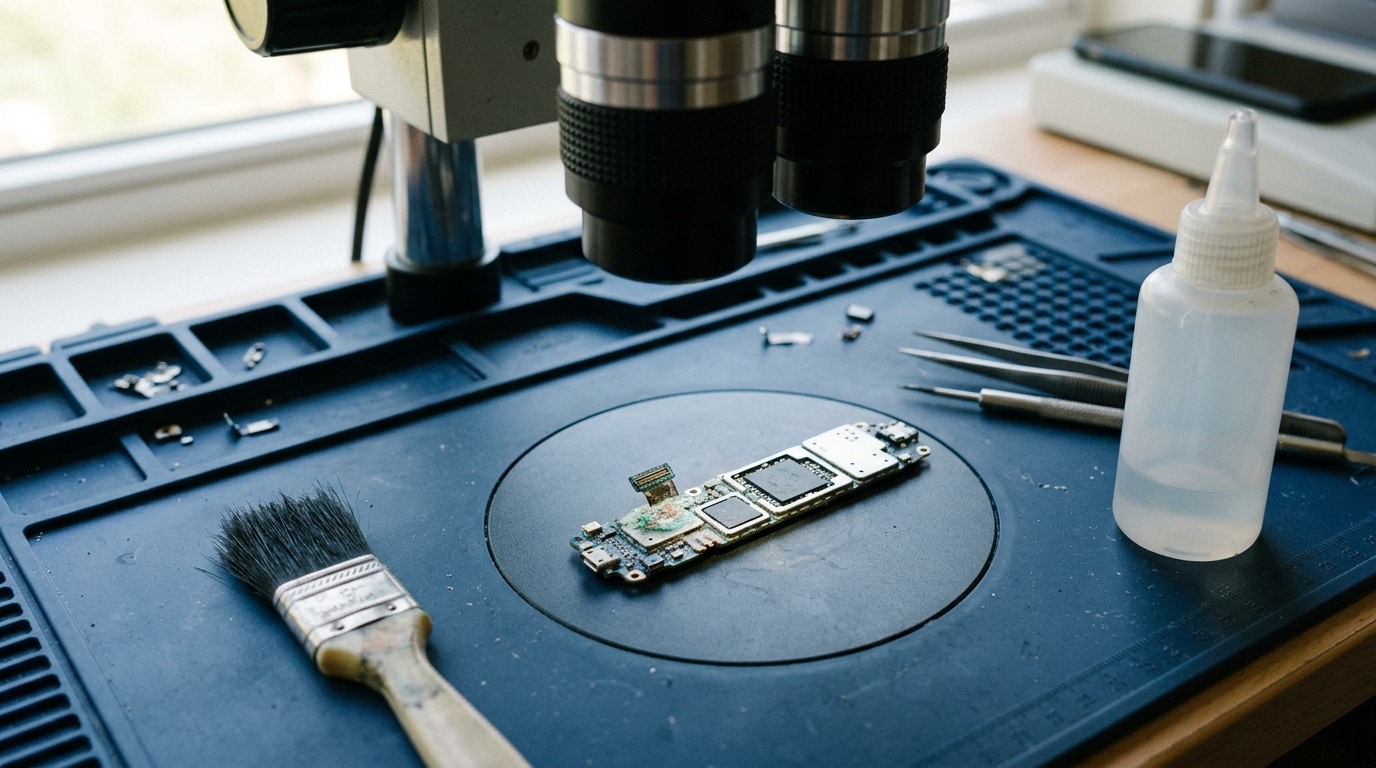
- Inspect under magnification for liquid indicators, residue and corrosion on the board, connectors and components.
- Clean the board with high-purity isopropyl alcohol and soft brushes. Where our equipment allows, we use ultrasonic cleaning for the logic board, which removes residue from under chips.
- Dry thoroughly before reconnecting anything.
- Test function by function, including power, display, touch, charging, cameras, audio, Face ID or fingerprint, buttons and connectivity.
- Report back with what works, what doesn’t and what it would take to repair the rest.
Cleaning doesn’t always bring a phone back, and it is never guaranteed, but it gives the phone its best chance and it stops corrosion from spreading. After cleaning, some phones work fully; some work but need parts replaced, such as a screen, battery, speaker or charging port; and some have board damage that can’t be economically repaired.
Our honest position on liquid damage
We will never promise that a liquid-damaged phone will be fixed. Anyone who guarantees it before inspecting the board is guessing. What we can promise:
- We’ll tell you what we find, including bad news, before you spend more.
- We’ll separate the inspection and cleaning step from any parts repair, so you decide after seeing the results.
- If the phone can’t be saved, we’ll tell you whether your data might still be recoverable and what that would involve.
- We won’t keep replacing parts on a phone with board corrosion that is likely to fail again.
Liquid-damaged phones are also less predictable after repair. Corrosion can show up later in a component that seemed fine. For that reason, warranty coverage on liquid-damaged phones may be limited. We’ll explain the terms before you approve any work.
If your data matters most
For many people, the photos and messages on the phone are worth far more than the phone itself. If that’s you, tell us up front. Our priority will be getting the phone working long enough to back up your data, rather than a full cosmetic repair. If the phone was already backed up to iCloud or Google, your data may be safe regardless. See data recovery and transfer for what’s possible and what isn’t.
What affects the cost of liquid damage repair
- Inspection and cleaning are a separate step with their own cost: [DIAGNOSTIC FEE].
- The liquid and the time since exposure. Salt water and sugary drinks left for days cause more damage.
- Whether the phone was charged while wet. Charging often causes board damage.
- Parts that need replacing after cleaning, such as screens, batteries or ports.
- Board-level repairs, if offered for your model, are more involved.
Liquid damage takes time. Cleaning and drying properly can take a day or more, and we may need to retest the phone after it has been powered for a while.
Common liquid accidents and what usually follows
These are the most common liquid accidents, and what they typically mean for the phone. Every phone is different, so treat this as a guide, not a prediction.
- Dropped in the toilet or sink, pulled out in seconds. Fresh water, short exposure. If the phone was turned off quickly and not charged, many survive with cleaning. Speaker and microphone problems are common for a few days.
- Coffee or pop spilled on it. Usually less liquid, but sticky. Buttons and the charging port often feel gritty. Sugar residue causes slow corrosion, so cleaning soon helps.
- Through the washing machine. Long exposure to warm, soapy water and tumbling. Survival is less likely. If the phone has data that matters, focus on recovery first.
- Dropped off a wharf or boat into the harbour, or soaked at the beach. Salt water is the hardest case. Speed matters. Some people rinse a salt-soaked phone briefly in fresh water to stop salt crystallizing; if you do, turn the phone off first, and bring it in promptly afterwards.
- Out in heavy rain or snow. Usually only a little water gets in, around ports and buttons. Watch for moisture warnings and muffled audio.
- Fogged up after a hot shower or sauna. Steam can get past seals that keep out splashes. If the fog clears and everything works, you may be fine, but repeated exposure adds up.
Insurance and warranty claims
Manufacturer warranties generally don’t cover liquid damage. Before paying for an independent repair, check whether you have:
- Extended warranty or accidental damage cover such as AppleCare+ or Samsung Care+. These can cover liquid damage for a service fee, but usually require the repair to be done through the manufacturer’s network. An independent repair may affect that cover.
- Carrier device protection, which often has its own claims process and deductible.
- Home or tenant insurance, which occasionally covers portable electronics.
- Credit card purchase protection, for recently bought phones.
If you’re claiming through insurance, ask the insurer before any repair. We can provide a written assessment of the damage if they need one.
Supported devices
We inspect and clean liquid-damaged iPhone, Samsung Galaxy, Google Pixel, Motorola and OnePlus phones, along with many other brands. The outcome depends far more on the damage than on the brand. Very old phones, or phones with severe corrosion around the main processor or memory, are rarely repairable.
Before you bring the phone in
- Keep it off and don’t charge it.
- Don’t try to open it yourself unless you have the right tools. Opening some phones without care cracks the screen or back glass and tears flex cables.
- Bring the SIM tray and the case too, if you can.
- Tell us exactly what happened. The liquid, the time and what you’ve tried. There’s no judgment: toilets, boats and spilled drinks are all everyday accidents.
- If it was salt water, it’s better to bring it in quickly than to wait for it to dry.
- Have your passcode ready if the phone powers on, so we can test it with you.
Warranty and parts
Our warranty on parts fitted to a phone that had liquid damage: [CONFIRMED WARRANTY], subject to the limits we explain at the time. Because corrosion can affect parts we didn’t replace, we can’t guarantee the rest of the phone. We’ll put any limits in writing before you approve.
Booking a water damage inspection
- Contact us as soon as you can by quote form or by phone at (902) 220-3541. Tell us the liquid and when it happened.
- We advise on what to do with the phone until we see it.
- Bring or send the phone in. You can [REPAIR MODEL: in-store / mobile repair / mail-in / combination].
- We inspect and clean, then report what works and what each next step would cost.
- You decide whether to repair, recover data or stop there.
Frequently asked questions about water damage
Should I put my wet phone in rice?
No. Rice doesn’t dry the inside of a sealed phone any better than leaving it somewhere dry with airflow, and rice dust can get into the ports. Turn the phone off and contact us.
My phone works fine after getting wet. Do I still need an inspection?
If it was fresh water and the phone has no symptoms after a few days, you may be fine. If it was salt water, a sugary drink, or the phone was underwater for a while, an inspection can catch corrosion before it causes failure.
Can you guarantee my phone will work again?
No, and nobody honestly can before inspecting the board. We’ll tell you what we find and give you choices.
My phone says "moisture detected" and won’t charge. What should I do?
Unplug it, let it dry with the port facing down for several hours, and try again. Don’t override the warning. If it keeps appearing, the port may have residue or corrosion; see charging port repair.
Can you recover data from a phone that won’t turn on after water damage?
Sometimes. If cleaning gets the phone to boot, even briefly, we can try to back it up. If the storage chip or processor is damaged, recovery may not be possible. Modern phones encrypt their storage, so data can only be read through the phone itself.
Is my IP68 phone covered for water damage?
Manufacturer warranties generally exclude liquid damage, even on water-resistant phones. Check your carrier insurance or home insurance; some policies cover accidental damage.
How long does water damage repair take?
Inspection and cleaning usually take a day or more because the phone has to dry fully before testing. Parts replacements add time.