
Pixel models we support
We repair Google Pixel phones from the Pixel 6 through the Pixel 10 family, including the a-series (6a, 7a, 8a, 9a and 10a) and the Pro and Pro XL models. Older Pixels can often still have batteries and screens replaced when parts are available. Foldables and the newest Pixel 11 models are assessed case by case.
| Models | Common repairs | Notes for repair |
|---|---|---|
| Pixel 6, 6 Pro, 6a | Screen, battery, camera bar glass, USB-C port | Batteries in these models are now old enough to need replacing; watch for swelling |
| Pixel 7, 7 Pro, 7a | Screen, battery, back glass, cameras | Good parts availability |
| Pixel 8, 8 Pro, 8a | Screen, battery, cameras, port | Google provides official parts and a repair calibration tool |
| Pixel 9, 9 Pro, 9 Pro XL, 9a | Screen, battery, cameras, port | Pixel 9a has a nearly flat camera instead of a raised bar |
| Pixel 10, 10 Pro, 10 Pro XL, 10a | Screen, battery and more as parts become available | Pixel 10 series adds built-in magnets for Qi2 accessories |
| Pixel 11, 11 Pro, 11 Pro XL | Assessed case by case | Released August 2026; Google’s warranty is usually the better route for now |
| Pixel Fold, 9 Pro Fold, 10 Pro Fold, 11 Pro Fold | Assessed case by case | Inner folding screens are specialized |
| Pixel 4a, 5, 5a | Battery and screen where parts remain | Older; we’ll advise if a repair is worth it |
Most common Pixel repairs
- Screen replacement. Pixel screens include the fingerprint sensor area. After a replacement, the fingerprint sensor needs calibrating and your fingerprint re-registered.
- Battery replacement. Pixels open from the front on many models, and the batteries are glued; we handle removal carefully.
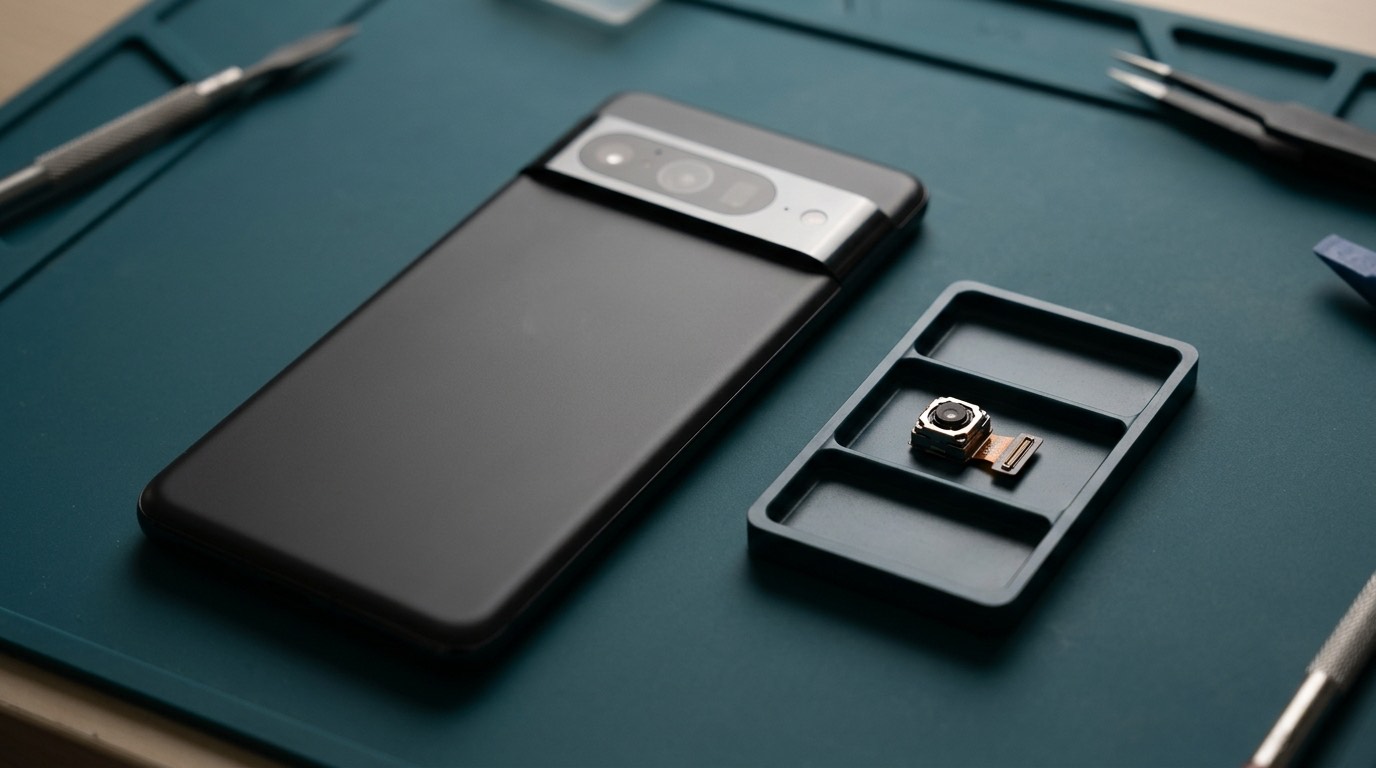
- Camera repair. The camera bar glass can crack on its own; modules are replaced when focus or sensors fail.
- Charging port repair. USB-C on a sub-board or bottom flex.
- Software repair. Pixel updates arrive early, and occasionally bring bugs that need troubleshooting.
Fingerprint calibration after repair
Pixel phones with in-display fingerprint sensors need the sensor calibrated to the new screen. Google provides a repair calibration tool for this on recent models. Without calibration, the fingerprint may be unreliable or not work. We complete the calibration, or explain how to do it, as part of every Pixel screen repair.
Pixel diagnostics
Recent Pixels include a built-in diagnostics app and a repair mode that hides your personal data while the phone is being serviced. If your Pixel supports Repair Mode, we may ask you to turn it on before handing the phone over. It protects your privacy and still lets us test the hardware.
Before a Pixel repair
- Back up with Google One backup.
- Turn on Repair Mode if your Pixel supports it (Settings › System › Repair mode, on supported models).
- Know your PIN.
- Remove the case.
Warranty
If your Pixel is under Google’s warranty or Preferred Care, check your coverage first. Our warranty: [CONFIRMED WARRANTY]. We are an independent repair business, not a Google authorized repair partner unless stated.
Pixel batteries and swelling
Pixel 6 and 7 series phones are now old enough that many need a new battery. Watch for these signs:
- The phone dies well before the end of the day.
- It shuts down in the cold or at a high percentage.
- The screen starts lifting at one edge, or the phone feels thicker. That can be battery swelling: stop charging and contact us.
Recent Pixels show battery health under Settings › Battery › Battery health. After a new battery, turn on Adaptive Charging and, on supported models, the 80% charging limit, which slows wear.
The camera bar
Pixel 6 to Pixel 10 models have a raised camera bar across the back, which takes the hit in many drops. The bar’s glass can crack without damaging the cameras underneath, and on many models it can be replaced separately from the back glass. If photos look hazy or show flare after a drop, check the bar glass first. See camera repair.
Pixel software and updates
Pixels get Android updates first, which occasionally means early bugs. Google now promises seven years of updates on Pixel 8 and later, so a repaired Pixel can stay secure for a long time. If your Pixel is stuck in a boot loop or misbehaving after an update, start with software repair before assuming hardware.
Google’s official parts
Google sells genuine Pixel parts through iFixit and publishes repair manuals, and recent Pixels include a repair calibration tool. That means genuine parts are more accessible for Pixels than for many brands. When a genuine part is available and sensible for your repair, we’ll offer it alongside other options.
Frequently asked questions about Pixel repair
Will my Pixel fingerprint work after a screen repair?
Yes, after calibration and re-registering your fingerprint. We’ll handle it.
Can you replace just the camera bar glass?
On many models, yes, if the cameras underneath aren’t damaged.
What is Pixel Repair Mode?
A feature on recent Pixels that hides your personal data during repair while keeping the phone testable. We’ll ask you to turn it on if your model has it.
My Pixel’s battery is swelling. What should I do?
Stop using and charging it, keep it somewhere cool and non-flammable, and contact us. See our battery safety guide.