
Who needs a phone diagnostic
A diagnostic is the right starting point when:
- The phone won’t turn on and you don’t know why.
- It has several problems at once, such as no charging, a black screen and heat after a drop.
- It overheats, especially while idle.
- It restarts on its own or shuts down unpredictably.
- It was in water and you want to know whether it’s worth saving.
- A previous repair didn’t fix it, here or elsewhere.
- You’re deciding between repairing and replacing and want facts first.
- You’re buying a second-hand phone and want it checked. (With the seller’s agreement and the phone unlocked by its owner.)
For obvious faults, like a cracked screen on a phone that still works, a diagnostic usually isn’t needed. We can quote from your description and a photo.
Why guessing is expensive
Many phone faults look identical from the outside. Here are a few common examples:
| What you see | Possible causes |
|---|---|
| Phone is completely dead | Flat or failed battery; failed charging port or cable; display failure while the phone is running; power button fault; board short circuit |
| Black screen but phone vibrates | Display panel; display connector; backlight circuit on LCD phones; board fault |
| Won’t charge | Debris in port; worn port; cable or charger; battery; charging chip on the board; liquid residue |
| Gets hot and drains | Stuck app; modem searching for signal; worn battery; short on the board |
| Boot loop | Software corruption; failing battery; storage chip fault; board damage |
| No signal or "No SIM" | Carrier issue; SIM card; SIM reader; antenna cable; modem fault |
Replacing a battery when the real problem was the charging port, or a screen when the display connector on the board was damaged, wastes money and time. A diagnostic avoids that.
How our diagnostic process works
Diagnostics follow a consistent order, from the simplest and least invasive checks to the most involved.
1. History and symptoms
We start by asking: What happened? When did it start? Was there a drop, a spill, an update or a previous repair? What still works? This conversation often narrows the problem down a lot before we touch the phone.
2. External inspection
We check for cracks, frame bends, a swollen battery (screen or back lifting), liquid indicators in the SIM tray slot where the model has them, debris in the ports and signs of previous repairs.
3. Power and charging tests
Using a USB power meter, we see whether the phone draws current when connected, and how much. The pattern tells us a lot. No draw at all suggests a port, cable or charging circuit fault; a normal draw with no display suggests a display fault; a very high draw suggests a short on the board.
4. Software checks
If the phone powers on, we check its operating system state, crash logs where available, battery health readings, and the manufacturer’s built-in diagnostic tools. Samsung, Google and Apple each provide some form of diagnostic mode or test tool.
5. Function-by-function testing
Display and touch across the whole screen, every camera, every speaker and microphone, buttons, vibration, Face ID or fingerprint, proximity sensor, Wi-Fi, Bluetooth, cellular, GPS, NFC, charging, wireless charging and storage.
6. Internal inspection (with your OK)
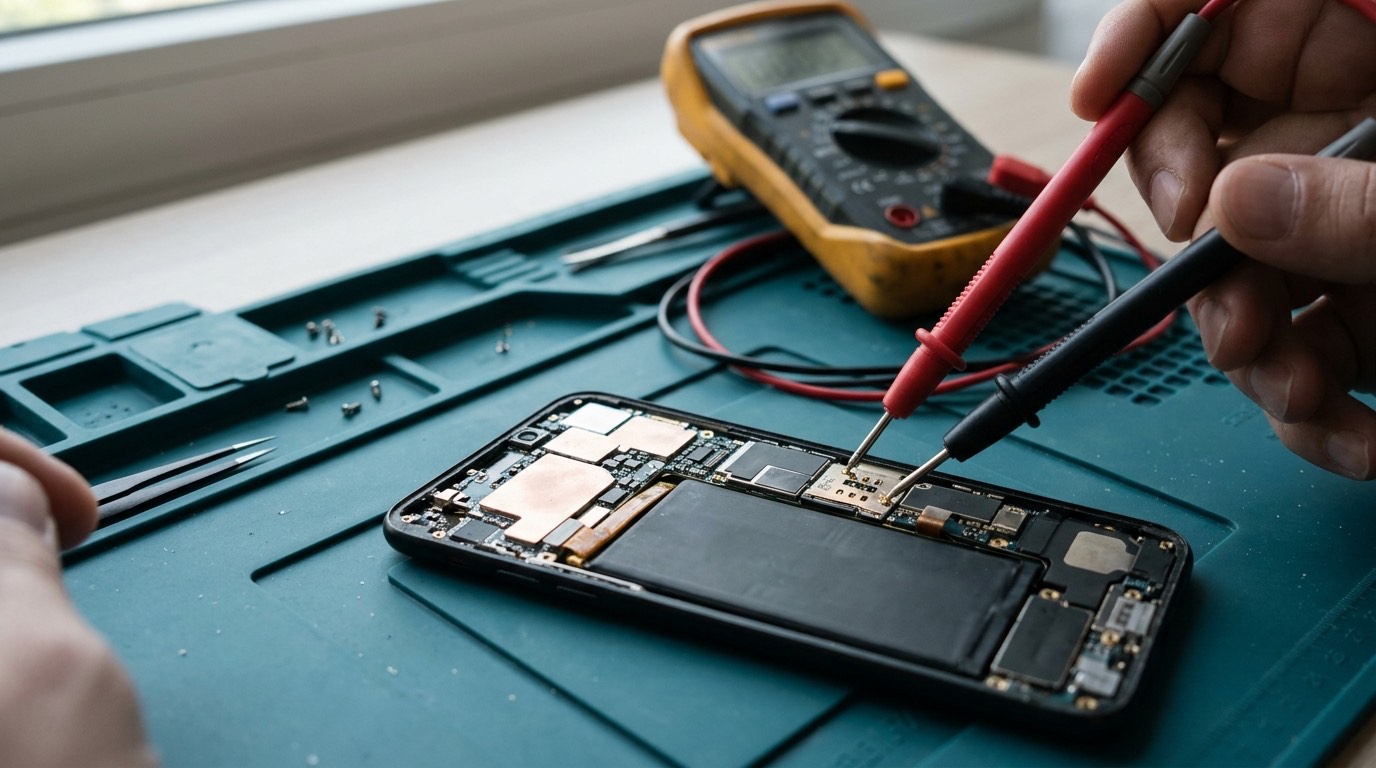
If needed, we open the phone to check connectors, look for corrosion and measure parts with a multimeter. We ask before opening a phone that is otherwise sealed and working, because opening any phone affects its factory water-resistance.
7. Written findings
You get a clear summary: what’s wrong, what caused it if we can tell, what the repair would involve, the parts and price, the time needed and our honest view on whether it’s worth doing.
Overheating diagnostics
Overheating deserves its own mention because it can be a safety issue. A phone that gets hot during heavy use, such as gaming, navigation, fast charging or video calls, is often normal. A phone that is hot in your pocket while doing nothing isn’t. Causes include:
- An app or process stuck in a loop.
- Weak cellular signal, which makes the modem work hard. Some parts of Halifax, including inside thick-walled older buildings, can have patchy indoor signal.
- A worn or swelling battery.
- A short circuit on the board, often after liquid damage.
- Charging with a damaged cable or unsuitable charger.
If your phone is very hot, smells of chemicals or is swelling, stop using and charging it and contact us at (902) 220-3541.
Phone not turning on
This is one of the most common reasons for a diagnostic. Before you do, try:
- A different cable and charger, left connected for at least 30 minutes. A deeply discharged battery can take a while before the phone shows any sign of life.
- A forced restart for your model. See our software repair page for the button sequences.
- Calling the phone from another phone to see whether it rings or vibrates, which tells you whether the phone is on with a dead screen.
- Connecting to a computer to see whether it’s recognized.
If none of that works, a diagnostic will find the cause.
Internal component diagnostics
When a phone has been dropped hard or exposed to liquid, faults can be spread across several parts. We test internal components one at a time where possible, such as by connecting a known-good screen or battery to isolate the faulty part. That way we can tell you exactly which parts need replacing, rather than suggesting everything.
Board-level faults
Some faults are on the logic board itself: a failed charging chip, a damaged display connector, a short-circuited component or corrosion under a chip. Board-level repair involves micro-soldering under a microscope. Whether we offer it for your model depends on the fault and the part availability. If we can’t repair a board fault ourselves, we’ll tell you what your realistic options are, including whether the data can be saved.
Diagnostic fee and what it includes
Our diagnostic fee: [DIAGNOSTIC FEE]. The fee covers the time it takes to test the phone systematically and give you written findings. We’ll confirm the fee before we start, and we’ll tell you up front if a fault is likely to need extra time, such as liquid damage cleaning.
Repair or replace: how we help you decide
After a diagnostic, the question is usually whether the repair is worth it. We look at the same factors we’d consider for our own phone:
| Factor | Points towards repair | Points towards replacing |
|---|---|---|
| Software support | Phone still receives security updates for a year or more | Phone no longer gets security updates |
| Repair cost vs value | Repair is a modest share of the phone’s value | Repair approaches the price of a comparable used or new phone |
| Other wear | Battery and other parts are in good shape | Several parts are worn or damaged at once |
| Data | Data is backed up or easy to recover | Not relevant to the decision, but recover data either way |
| Personal fit | You like the phone and it does what you need | You were planning to upgrade anyway |
| Environmental cost | Repair keeps a working phone out of the waste stream | Some phones are beyond economic repair |
We’ll give you our honest opinion, but the decision is yours. If replacing makes more sense, we can still help with data transfer and safe disposal of the old phone.
Signs of a previous low-quality repair
Phones repaired elsewhere, or with parts bought online, sometimes come with problems of their own. Common signs that a previous repair may be causing problems:
- The screen sits slightly raised at one edge, or there’s a visible gap around the frame.
- Colours look different from the original, or the screen is dimmer, with greyish blacks.
- Touch is less responsive near the edges.
- Battery health readings are missing, or the battery drains faster than expected for a new battery.
- Missing screws or brackets that hold flex cables and shields in place.
- Face ID, True Tone, auto-brightness or the proximity sensor stopped working after the repair.
- Missing earpiece mesh, leading to grime and quiet calls.
We’ll tell you what we find without judgment, and what it would take to put it right.
Checklist for a second-hand phone check
If you’re buying a used phone and want it checked, these are the things we look at:
- Account status. The phone must be signed out of the previous owner’s Apple ID or Google account, with Find My or Factory Reset Protection off.
- Carrier lock and blacklist status, using the IMEI. A phone reported lost or stolen may be blocked by Canadian carriers.
- Battery health and cycle count where available.
- Screen and parts authenticity, including parts notices on iPhone.
- Every function: cameras, speakers, microphones, buttons, charging, wireless charging, Face ID or fingerprint, cellular, Wi-Fi and Bluetooth.
- Signs of liquid damage or previous repairs.
- Software version and how long the model will continue to get updates.
Intermittent faults
The hardest faults to diagnose are the ones that come and go: a phone that restarts once a week, or a screen that flickers only when it’s cold. If your fault is intermittent:
- Write down when it happens: the time, what you were doing, the temperature, the battery level and whether the phone was charging.
- Take a screenshot or video of the fault when you can.
- Note any pattern, such as only on cellular data, only outdoors or only after a certain app opens.
- Tell us how often it happens, so we can decide how long to test the phone.
On iPhone, Settings › Privacy & Security › Analytics & Improvements › Analytics Data contains logs that can show which process crashed or whether the phone restarted because of a battery or hardware issue. Android phones have similar logs, accessible with diagnostic tools. These records can point to the cause even when the fault doesn’t happen while we’re testing.
Supported devices
We diagnose iPhone, Samsung Galaxy, Google Pixel, Motorola, OnePlus and most other Android phones. The diagnostic itself works on almost any phone; whether a repair is possible depends on parts availability for your model.
Before your appointment
- Charge the phone if it will charge.
- Write down the symptoms, when they started and anything that happened before, such as a drop, spill, update or repair.
- Back up if the phone works at all.
- Know your passcode and be ready to enter it yourself.
- Bring the cable and charger you normally use.
- Tell us about previous repairs, including where and when if you know.
Warranty and parts
A diagnostic doesn’t involve fitting parts, so there’s no parts warranty attached. If you go ahead with a repair afterwards, our repair warranty applies: [CONFIRMED WARRANTY].
Booking a diagnostic
- Request a quote and choose "Not sure / needs diagnosis", with as much detail as you can.
- We reply with the likely possibilities and the diagnostic fee.
- Approve and book. You can [REPAIR MODEL: in-store / mobile repair / mail-in / combination].
- We test and report, then you decide what to do.
Frequently asked questions about phone diagnostics
Do I always need a diagnostic before a repair?
No. For obvious faults, such as a cracked screen on a phone that otherwise works, we quote from your description. Diagnostics are for faults that aren’t obvious or where several things are wrong.
How long does a diagnostic take?
Most are done within a few hours. Liquid-damaged phones take longer because they need cleaning and drying before testing.
Will a diagnostic erase my data?
No. Diagnostics don’t erase data. If a test would require any step that could affect data, we ask first.
What if the repair isn’t worth doing?
We’ll say so. You’ll have the findings and can decide to repair, replace or recover data instead.
Can you diagnose a phone that was repaired somewhere else?
Yes. Let us know what was done before, so we can check the previous repair as well.
Can you check a second-hand phone before I buy it?
Yes, if the seller agrees and unlocks the phone. We’ll check battery health, screen authenticity, function of every part and whether the phone is still linked to an account.