
Who needs a screen repair
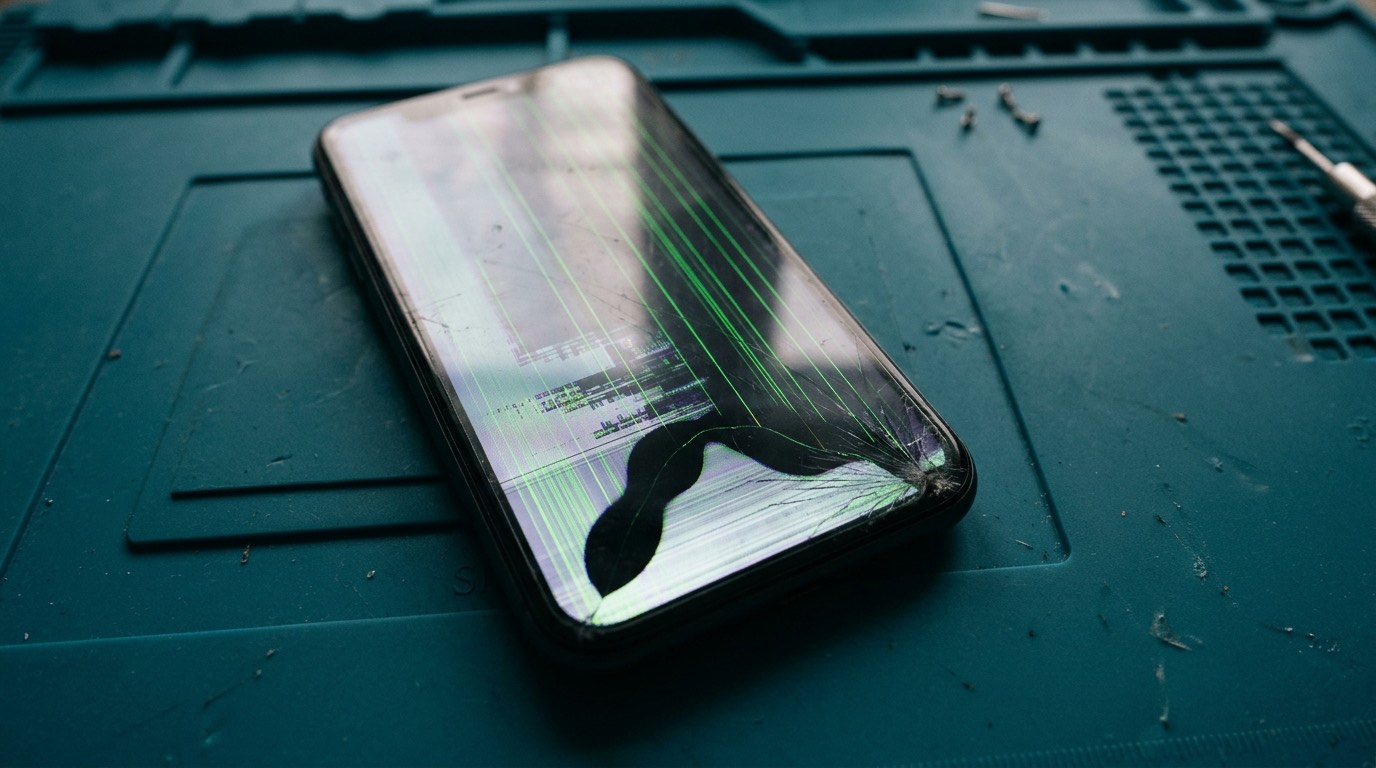
Screen problems usually fall into one of three groups. The first group dropped the phone and can see the damage: a spider-web crack from one corner, a single line across the glass, or shattered glass that is starting to flake off. The second group has no visible crack but something is wrong with the picture: green or pink lines, a black patch that spreads, flickering at low brightness, or a screen that stays black while the phone clearly still rings. The third group has a screen that looks fine but doesn’t respond properly: taps that register in the wrong place, "ghost touches" that open apps on their own, or a strip of the screen that ignores your finger.
All three groups usually need the same repair, which is a complete display assembly replacement. On almost every modern smartphone the glass, the touch layer and the display panel are bonded together into one part at the factory. That bonding is what makes modern screens so thin and bright, but it also means the glass can’t simply be swapped on its own in a normal repair. When people ask us for "just the glass", the honest answer for most models is that the glass and display come as one part.
It is worth repairing a cracked screen sooner rather than later, even if the phone still works. Cracked glass lets moisture and dust into the edges of the display, sharp fragments can cut your fingers, and a crack that sits over the touch layer often spreads until touch fails. A small crack in January is often a much bigger crack by March, especially after a few cold mornings at the bus stop and a few warm evenings back indoors.
Common screen symptoms and what they usually mean
Different symptoms point to different faults. This table is a starting point, not a diagnosis, but it explains why we ask so many questions before quoting.
| Symptom | Most likely cause | Usual repair |
|---|---|---|
| Cracked glass, picture and touch fine | Outer glass broken, display intact | Display assembly replacement (glass is bonded to the display) |
| Black ink-like spot that grows | OLED panel damaged under the glass | Display assembly replacement |
| Green, pink or white vertical lines | Damaged display panel or a loose or damaged display connector | Reseat the connector first; if lines remain, replace the display |
| Screen black but phone rings and vibrates | Display panel or display connector failure, sometimes a backlight fault on LCD models | Diagnosis, then display replacement or board-level repair |
| Touch dead in one strip or area | Damaged touch layer, usually from a crack | Display assembly replacement |
| Ghost touches, apps open on their own | Damaged touch layer, moisture under the glass, or a poor-quality earlier replacement | Display replacement; inspection for liquid |
| Flicker at low brightness | Failing panel, poor aftermarket part, or software | Test with brightness and refresh settings, then decide |
| Screen lifting from the frame | Swollen battery pushing the display out | Stop using the phone. Battery replacement first, then assess the screen |
That last row matters. If the screen is being pushed up from underneath, the cause is often a swollen battery, not a drop. Please read the battery safety advice on our battery replacement page before carrying the phone around.
What causes screen damage
The obvious cause is impact. A phone that lands on a corner concentrates the force on a tiny area of glass, which is why so many cracks start at a corner and spread outward. Flat drops onto a hard floor are less likely to crack the glass but more likely to damage the display underneath, which is how you end up with a screen that looks perfect but shows lines or a black patch.
Other causes are less obvious:
- Pressure. Sitting on a phone in a back pocket, or having it squeezed in a full bag, can bend the frame slightly and crack an OLED panel without any visible damage to the glass.
- Temperature swings. Glass doesn’t crack from cold on its own, but a phone that already has a small chip is more likely to crack further when it goes from a cold car to a warm room.
- Liquid. Water that gets under the glass can corrode the display connector or the touch circuitry. Touch faults that appear a few days after a spill are common. See water damage repair.
- Swollen batteries. As described above, a swelling battery can push on the display from behind.
- Previous repairs. A low-grade replacement screen, or a screen fitted without the right adhesive, can lift, flicker or lose touch over time.
How we diagnose a screen problem
A screen repair should start with a check of the whole phone, not just the glass. Before quoting a final price, we check:
- That the phone powers on and the board is healthy. If a phone won’t show anything at all, we confirm the board is running by connecting it to a computer or listening for the startup chime or vibration. A failed display and a failed logic board look the same from the outside.
- Touch across the whole screen, including the edges, using a drawing test rather than just tapping a few icons.
- Face ID, the front camera, the proximity sensor and the earpiece, because these sit at the top of the display and can be damaged in the same drop.
- The frame. A bent frame stops a new screen sitting flat, which can cause it to lift or crack again. If the frame is bent, we tell you before starting.
- The battery, for swelling, because a swollen battery will damage a new screen.
When you request a quote, it helps to tell us whether the phone still works at all, whether touch works, and whether you can still see anything on the screen. With that, we can usually give an accurate quote before seeing the phone.
How a screen replacement works
The steps vary by brand, but a typical display replacement looks like this:
- Power off and, where possible, discharge the battery below about 25%. A lower charge reduces risk if the battery is accidentally stressed while the phone is open.
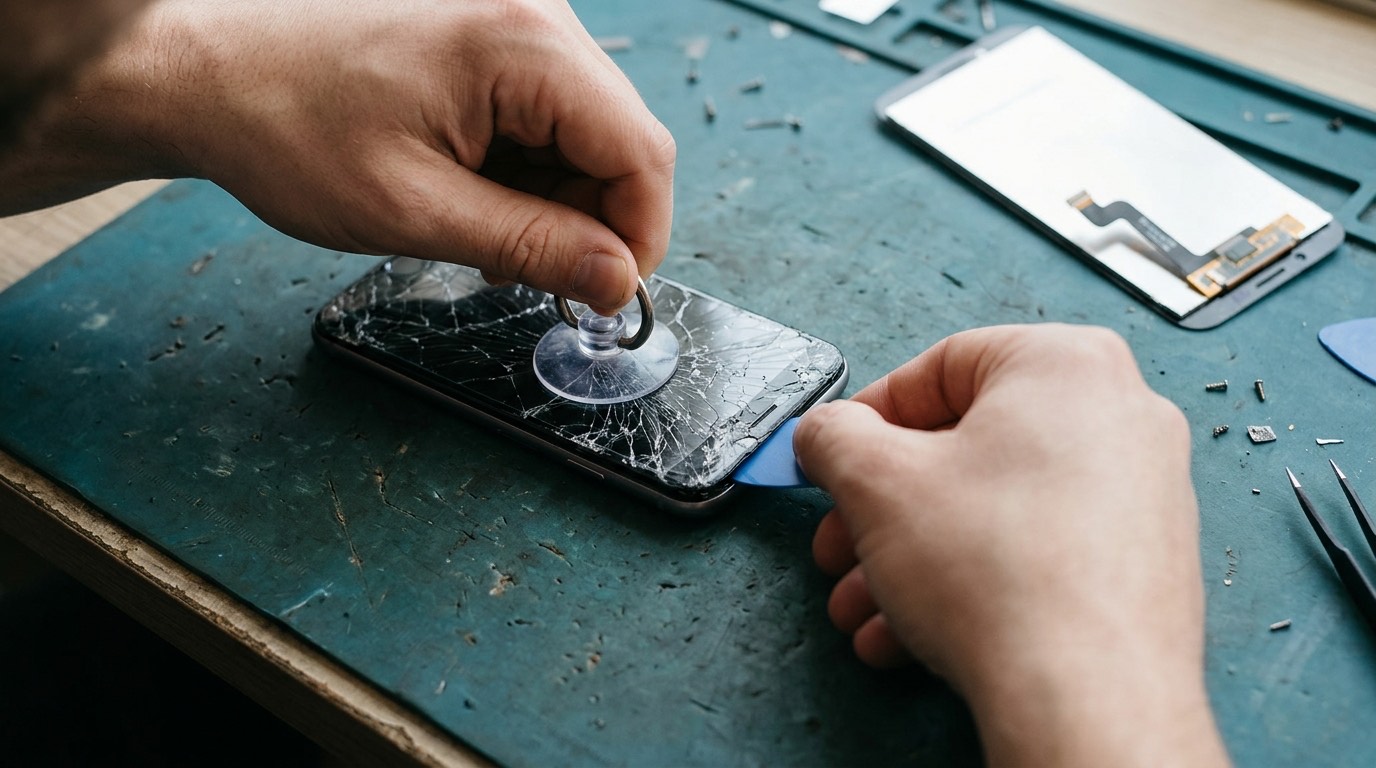
- Open the phone. On iPhone the display comes off the front: we remove two bottom screws, gently heat the edge to soften the adhesive, and lift the display with a suction handle and thin picks. Google Pixel phones also open from the front. On most Samsung and many OnePlus phones the phone opens from the back, so the back glass comes off first and the display is often the last part to come out, or comes as one part with the frame.
- Disconnect the battery first, before any display connector, to avoid damaging the display or board.
- Transfer parts. Depending on the model, small parts such as the earpiece speaker bracket, sensor flex or display brackets move from the old screen to the new one.
- Test before sealing. We connect the new display and test touch, brightness, colour, Face ID or fingerprint, the proximity sensor and the front camera before applying adhesive.
- Seal with new adhesive. New adhesive restores dust resistance and keeps the screen seated. We cannot restore the factory water-resistance rating after any repair, and we’ll be clear about that.
- Final test of the whole phone, including calls, charging and the cameras.
Screen part options and their trade-offs
This is where screen repairs differ most from shop to shop, and where a cheap quote can hide a compromise. Replacement displays come in several grades. We explain which ones exist for your model and recommend the one that makes sense for how long you plan to keep the phone.
| Part type | What it is | Trade-offs |
|---|---|---|
| Genuine / original manufacturer part | Made by or for the phone manufacturer | Best colour, brightness and touch response. Usually the most expensive. Availability varies by model |
| Refurbished original | Original display panel with new glass fitted | Original panel quality at a lower price. Quality depends on the refurbisher |
| Aftermarket OLED ("soft" or "hard" OLED) | Third-party OLED panel | Close to original on good units; may be slightly less bright or have a different colour tint |
| Aftermarket LCD (incell) | LCD panel used to replace an OLED screen | Cheapest. Thicker, dimmer, higher battery use, weaker blacks. We only fit these when you understand the trade-off |
We’ll always tell you which grade we are quoting. If you only want the cheapest option to get through until an upgrade, we’ll say whether the aftermarket part for your model is decent or one we would avoid.
iPhone-specific notes
Apple pairs some parts to each phone’s logic board. On recent iPhones, a replacement screen, even a genuine one, can show an "Unknown Part" or "Unable to verify" message in Settings unless it is calibrated through Apple’s own process. The phone still works, but True Tone may be disabled until the original screen’s data is transferred, which we do where our tools support it. Face ID lives in the top of the phone, not in the display itself, but the flex cables are delicate, so they’re handled carefully during every iPhone screen repair. See our iPhone repair page for model details.
Samsung and curved-screen notes
Samsung Galaxy S and Note models with curved edges are harder to replace and more likely to crack during removal, so the original screen is usually treated as lost once we start. Many Samsung display parts come with the frame attached, which makes the repair more reliable but more expensive. Foldable screens (Galaxy Z Fold and Flip) are a separate category with very different parts and costs; ask us before assuming they can be repaired locally. More on the Samsung repair page.
What affects screen repair cost and turnaround
We don’t publish a single "screen repair price" because it would be wrong for most phones. These are the factors that set the price:
- Model. Flagship OLED screens can cost several times more than mid-range LCD screens. A Pro Max model costs more than the standard model from the same year.
- Part grade, as described above.
- Display construction. Screens supplied with a frame, curved edges or an in-display fingerprint sensor take longer and cost more.
- Extra damage. A bent frame, damaged front camera or swollen battery adds parts or time.
- Part availability. Common models are usually in stock or arrive quickly. Older or less common models may need a part order.
On turnaround: many screen replacements on common models take about an hour of bench time once the part is on hand. Your quote states the realistic timing, including any part order.
The diagnostic fee for screens is [DIAGNOSTIC FEE]. For most visible cracks we can quote without a diagnostic.
Supported devices
We replace screens on most iPhone models from the iPhone 8 and SE (2nd generation) onward, Samsung Galaxy S, A and Note series, Google Pixel phones from the Pixel 6 onward, and popular Motorola and OnePlus models. Older and less common models are often possible when parts can be sourced; ask with your exact model. Foldables, phones with heavy frame damage and some very new releases may not have reliable parts yet, and we’ll tell you if that’s the case rather than fitting something we wouldn’t trust.
Screen types on popular models
Knowing what kind of screen your phone has explains a lot about the price and the part options.
| Popular models | Original screen type | What it means for repair |
|---|---|---|
| iPhone 11, iPhone XR, iPhone SE | LCD | Usually the most affordable iPhone screens |
| iPhone 12, 13, 14, 15 and 16 families, iPhone 16e | OLED | Choose between original, refurbished and aftermarket OLED, or a cheaper LCD replacement with trade-offs |
| iPhone 13 Pro to 16 Pro and Pro Max | OLED with 120 Hz ProMotion | Low-grade replacements may lose the 120 Hz refresh rate; we tell you which parts keep it |
| Galaxy S21 Ultra, S22 Ultra | Curved OLED | Harder removal; the original screen is lost once we start |
| Galaxy S23 to S25 and Ultra models | Flat or near-flat OLED, often supplied with the frame | More reliable fit, higher part cost |
| Galaxy A15 to A57 | LCD on some budget models, OLED on most | Generally affordable |
| Pixel 6 to Pixel 10, including a-series | OLED with in-display fingerprint | Fingerprint needs calibrating after replacement |
| moto g power, moto g stylus | LCD on most models | Affordable; confirm the model year |
For the newest models, such as the iPhone 18 Pro, Galaxy S26 and Pixel 11, reliable repair parts can take months to reach the market. If your phone is that new, check the manufacturer’s warranty or your protection plan first. See our brand pages for full model lists: iPhone, Samsung, Google Pixel, Motorola and OnePlus.
Before you bring your phone in
- Back up if you can. A screen repair doesn’t normally touch your data, but backing up is good practice for any repair. On iPhone, use iCloud or a computer; on Android, use Google backup or the manufacturer’s tool.
- Cover sharp glass. Put clear packing tape over badly shattered glass so it doesn’t shed fragments or cut you.
- Remove the case and screen protector if they come off easily. If the protector is holding broken glass in place, leave it on.
- Know your passcode. We need to test the phone after the repair. You can enter the passcode yourself instead of sharing it.
- Turn off Find My (iPhone) only if we ask. For most screen repairs it isn’t required.
- Stop using a phone with a lifting screen and read the battery safety advice.
Warranty and parts
Our warranty on screen repairs: [CONFIRMED WARRANTY]. Warranties on replacement screens normally cover part defects such as dead pixels, touch failure or a display that stops working without new damage. They don’t cover new drops, cracks, pressure damage or liquid damage after the repair. We’ll write down which part grade was fitted, so you know exactly what’s in your phone.
Any independent repair can affect what the manufacturer will do for you later, and the phone’s original water-resistance rating can’t be guaranteed after the phone has been opened. If your phone is still under a manufacturer warranty, or you have carrier insurance, compare those options first; we’re happy to help you decide.
How to book a screen repair
- Request a quote with your exact model, a photo of the screen and a short description of what still works.
- We reply with the part options, price and timing. If something needs checking first, we explain why.
- You approve the quote and choose a time. You can [REPAIR MODEL: in-store / mobile repair / mail-in / combination].
- We repair and test the phone and walk you through the result.
- You pay once the phone is repaired and you are happy it works as described.
Call (902) 220-3541 if you’d rather talk it through.
Frequently asked questions about screen repair
Can you replace just the glass instead of the whole screen?
On almost all modern phones the glass is bonded to the display, so the practical repair is a complete display replacement. Glass-only refurbishment needs specialist equipment and is normally done by part refurbishers, not as a while-you-wait repair. If you see a lower "glass only" price advertised, ask what part is being fitted.
My screen is cracked but works fine. Should I still repair it?
If the crack is small and away from the edges, you can wait, but it will usually spread, and broken glass lets dust and moisture into the display. If the crack reaches an edge, sheds glass or affects touch, repair it soon.
Will I lose my data during a screen replacement?
A screen replacement doesn’t erase anything on its own. We still recommend a backup before any repair because a phone that has been dropped hard can have other hidden damage.
Why does my iPhone say "Unknown Part" after a screen repair?
Recent iPhones check whether certain parts match the phone’s original serial number. A replacement display can trigger this notice even when it works perfectly. It is a notice, not a fault. We explain beforehand whether your model will show it.
Will Face ID work after the screen is replaced?
Face ID hardware isn’t part of the display, so it should keep working when the repair is done carefully. If Face ID was already damaged by the drop, we check it before starting so you know where things stand.
Is an aftermarket screen worth it?
It depends on the model and the part. Some aftermarket OLED panels are close to original; some LCD replacements for OLED phones are noticeably dimmer and drain the battery faster. We tell you which one we would choose for our own phone.
How long does a screen repair take?
For common models with the part in stock, often around an hour. Curved Samsung screens, models that need a part order and phones with extra damage take longer. Your quote includes a time estimate.
Is it worth repairing a screen on an older phone?
Sometimes not. If the repair costs a large share of the phone’s value and the battery is also worn, a replacement phone may make more sense. We’ll give you an honest opinion.