
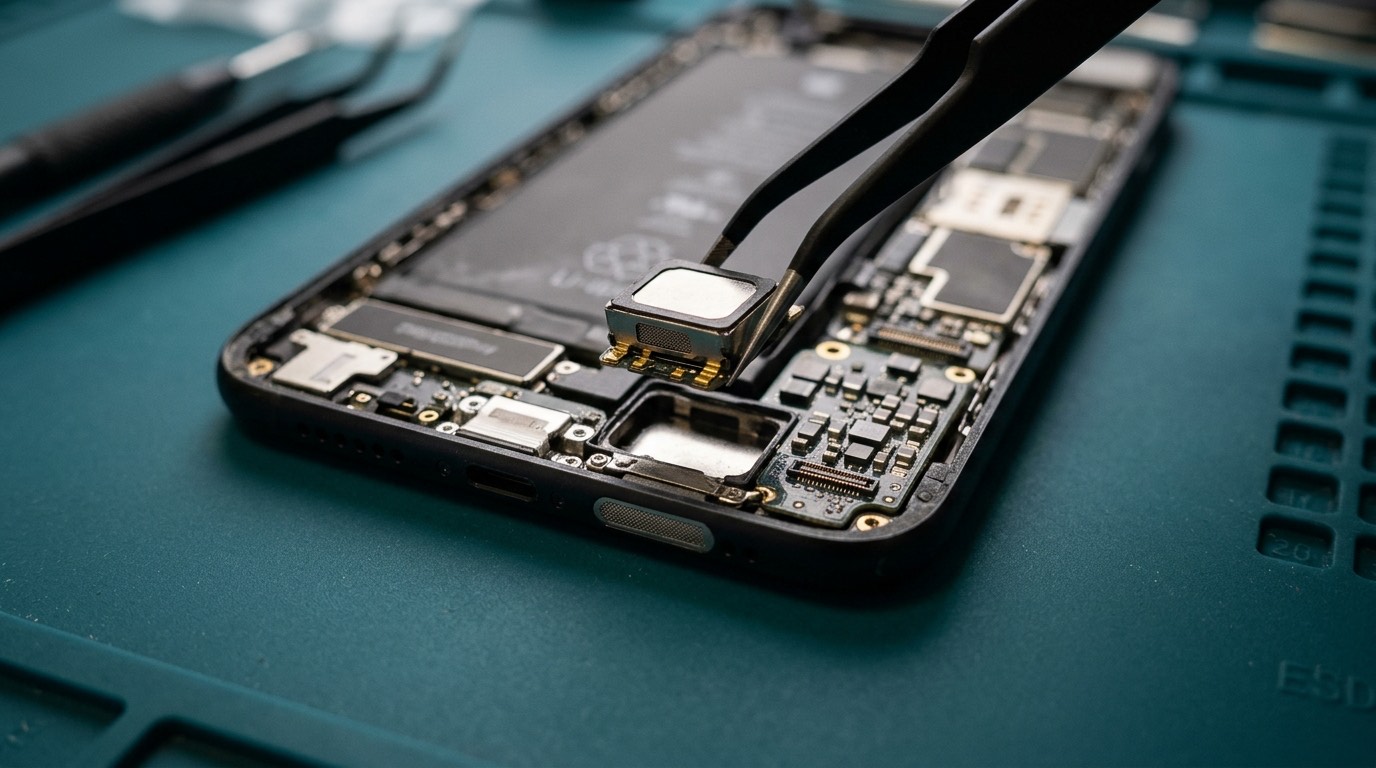
Who needs an audio repair
Phones have more audio parts than most people realize. A typical smartphone has a bottom loudspeaker, an earpiece speaker at the top that also acts as a second stereo speaker, two to four microphones placed around the phone, and a vibration motor (Apple calls it the Taptic Engine). Each can fail on its own.
You might need an audio repair if:
- Callers say you sound far away, muffled or cut out. Usually a microphone problem.
- You can’t hear callers unless you use speakerphone. Usually an earpiece problem.
- Music and ringtones are quiet, distorted or crackling. Usually the loudspeaker.
- Voice memos or video recordings have no sound or bad sound. A microphone problem, often the one on the back near the camera.
- Siri, Google Assistant or voice-to-text can’t hear you.
- The phone doesn’t vibrate, or it rattles or buzzes. The vibration motor.
- Sound is fine on headphones or Bluetooth but not from the phone. Points to hardware rather than software.
Symptoms and likely causes
| Symptom | Likely part | Common causes |
|---|---|---|
| Callers can’t hear you | Bottom microphone | Lint in the mic hole, liquid, damaged charging flex (on many phones the mic is on it) |
| You can’t hear callers | Earpiece | Debris in the earpiece mesh, liquid, damage during a screen repair |
| Crackling or distorted speaker | Loudspeaker | Water, blown speaker from high volume, debris |
| Quiet speaker | Loudspeaker or grille | Blocked grille, partial water damage |
| No sound in video recordings | Rear or top microphone | Liquid, debris, a case covering the mic |
| Echo or noise on calls | Noise-cancelling microphone | Blocked or damaged mic |
| No vibration | Vibration motor | Drop damage, liquid, disconnected flex |
| Rattling inside the phone | Loose vibration motor, loose screw, loose speaker | Drop |
Try this first
Many audio "faults" are actually blocked grilles or settings. Before booking:
- Remove the case and screen protector. A case can cover a microphone hole and a protector can cover the earpiece.
- Clean the grilles gently with a soft, dry toothbrush. Don’t push anything into the holes.
- Restart the phone.
- Check Bluetooth. If the phone thinks it’s connected to earbuds or a car, audio goes there.
- Test with a voice memo. Record with the phone’s built-in app and play it back. If the recording is fine, the microphone works, and the problem may be with a specific app.
- Check accessibility and sound settings, such as Phone Noise Cancellation on iPhone or mono audio.
- Try speakerphone and a video call to work out which mic and speaker are involved.
How we diagnose audio problems
- Isolate each part. We test each speaker and each microphone separately using recordings, calls and diagnostic tools.
- Inspect grilles and meshes under magnification. Lint and grime are common, especially in earpieces.
- Look for liquid indicators and corrosion around audio components.
- Check connections, especially after a previous screen or port repair, where an earpiece or mic cable may not be seated properly.
- Rule out software with a restart, safe mode on Android, or a test in a different app.
Audio repair options
Speaker and grille cleaning
A surprising number of quiet speakers and earpieces are blocked rather than broken. We clean the mesh carefully, without pushing debris further in or damaging the waterproof membrane behind it.
Loudspeaker replacement
The bottom loudspeaker is usually a self-contained module. On iPhone it sits at the bottom right and comes out after the screen and battery are disconnected. On Android phones it’s often under a cover plate at the bottom, reached through the back. Replacement is usually straightforward.
Earpiece repair
The earpiece sits at the top of the phone, close to the front camera and, on iPhone, the Face ID sensors. On iPhone the earpiece is attached to the display assembly or to a flex that also carries the proximity sensor and microphone, so we transfer parts carefully during any screen repair. On some Android phones the earpiece is a tiny module mounted on the board or frame.
Microphone repair
Microphone locations vary. On iPhone, the bottom microphones are on the charging port flex, so the fix is often a charging port flex replacement. The top and rear microphones are on other flexes. On most Android phones, the main microphone is on the charging sub-board, with secondary microphones on the main board. Microphones soldered to the main board need micro-soldering, which we’ll discuss separately if your model is built that way.
Vibration motor repair
Vibration motors fail from drops or liquid, or their connector loosens. Replacement is usually simple once the phone is open. A loose motor that rattles is sometimes just a missing screw from a previous repair.
What affects audio repair cost and time
- Which part has failed. Cleaning is cheaper than replacement; a mic on a flex is cheaper than one soldered to the board.
- How deep in the phone the part sits. Some require removing the screen, battery or board.
- Model and part availability.
- Liquid damage, which may affect several parts at once.
Many speaker, earpiece and vibration motor replacements are done the same day once parts are in stock. Diagnostic fee: [DIAGNOSTIC FEE].
Audio notes by brand
iPhone
iPhones have a bottom loudspeaker, an earpiece that doubles as the second stereo speaker, and three or four microphones: two at the bottom on the charging flex, one near the earpiece and one near the rear cameras. The Taptic Engine provides vibration and haptic feedback. Because the bottom microphones are on the charging flex, "callers can’t hear me" on an iPhone is often fixed with a charging flex replacement. On recent models, the earpiece is attached to a flex with the proximity sensor and must be handled carefully to keep Face ID working.
Samsung Galaxy
Galaxy S models have stereo speakers tuned by AKG, with the earpiece acting as the top speaker. The main microphone is usually on the USB-C sub-board, with a second microphone at the top of the phone. Samsung phones have a hidden diagnostic menu that tests each speaker and microphone separately, which is useful for confirming which part is at fault.
Google Pixel
Pixel phones lean heavily on software for call clarity, such as Clear Calling and noise suppression. If calls sound strange after an update, it’s worth checking those settings before assuming hardware. Pixels also offer a built-in hardware test in some models’ settings or diagnostic app.
Motorola and OnePlus
Many Motorola phones have a single bottom speaker plus an earpiece, and some models have the main microphone soldered to the board rather than on a separate flex. OnePlus phones usually have stereo speakers and a microphone on the bottom sub-board. Part availability for audio components on these brands is generally good for recent models.
Water and your speakers
Speakers and microphones are the parts most often affected by small amounts of water, because they need openings in the phone’s body to let sound through. Waterproof membranes protect them, but those membranes weaken with age and after drops. After rain or a splash:
- Shake the phone gently with the speaker grille facing down.
- Use the water ejection feature if your phone has one, or play a low-frequency tone at moderate volume. Don’t play it at full volume for long periods.
- Let it dry at room temperature before judging the sound.
- Don’t push cotton swabs into grilles. You can tear the membrane.
If sound is still muffled after a day, or crackling persists, the speaker may be damaged or there may be residue, especially after salt water or a sugary drink. See water damage repair.
When the problem isn’t the phone
Some call-quality problems have nothing to do with the phone’s hardware:
- Poor signal. Dropped words and robotic voices are often network issues. Try Wi-Fi Calling, if your carrier supports it, and see whether the problem goes away.
- The other person’s phone. If only one caller has trouble hearing you, the issue may be at their end.
- Bluetooth devices. A car or earbuds connected in the background can steal audio.
- App permissions. Video-calling apps need microphone permission. If an app says it can’t hear you, check its permissions in settings.
- Accessibility features. Settings such as mono audio, phone noise cancellation, hearing aid compatibility or audio balance can change how calls sound.
We’ll rule these out before replacing anything.
Looking after your phone’s speakers and microphones
- Avoid maximum volume for long periods, especially with bass-heavy music. Overdriving a small speaker for hours can damage it.
- Clean grilles gently every few months with a dry, soft toothbrush. Earpieces in particular collect skin oil and makeup.
- Choose cases with properly sized openings. Cheap cases sometimes partly cover the bottom microphones or the rear microphone near the camera.
- Keep screen protectors clear of the earpiece. A protector that covers the earpiece slot muffles calls.
- Keep the phone out of dusty pockets with lint, which collects in the bottom grilles as well as the charging port.
- Dry the phone after rain before playing loud audio. A speaker driven hard while wet is more likely to tear.
Hearing aids and accessibility
Many people rely on their phone’s audio for hearing aid streaming, live captions or amplified calls. If you use hearing aids with your phone, tell us when you book. After an audio repair we’ll test the features you rely on, such as Bluetooth hearing aid pairing, hearing aid compatibility mode and Live Listen on iPhone, so you’re not left discovering a problem later.
Supported devices
We repair speakers, earpieces, microphones and vibration motors on iPhone, Samsung Galaxy, Google Pixel, Motorola and OnePlus phones, and many other Android models. Parts for less common phones may need ordering.
Before your appointment
- Back up the phone. Audio repairs don’t normally affect data.
- Note exactly when the problem happens: on calls, speakerphone, video calls, voice memos, music or alarms.
- Make a short test recording if you can, and tell us how it sounded.
- Tell us about any recent screen or charging port repair, since audio faults often follow these.
- Tell us about any liquid exposure, even small.
Warranty and parts
Audio repairs warranty: [CONFIRMED WARRANTY]. Warranty covers the part we replaced. It doesn’t cover new liquid exposure or physical damage. On liquid-damaged phones, we explain any warranty limits before starting.
Booking a speaker or microphone repair
- Request a quote with your model and which sound problem you have.
- We reply with the likely cause and repair, including whether cleaning is worth trying first.
- Approve and book. You can [REPAIR MODEL: in-store / mobile repair / mail-in / combination].
- We repair and test every speaker, microphone and the vibration motor, including a real phone call.
Frequently asked questions about speaker and microphone repair
Callers say they can’t hear me, but speakerphone works. Why?
Different microphones are used for normal calls and speakerphone on many phones. Usually the bottom microphone is blocked or damaged, while a different mic handles speakerphone.
My speaker crackles after getting wet. Will it dry out?
Sometimes. Many phones have a speaker water-ejection feature or you can play a low tone to push water out. If crackling remains after a day or two, the speaker may be damaged or corroded.
Can you clean my earpiece instead of replacing it?
Often, yes. Earpieces collect grime over time. Careful cleaning can restore volume without replacing the part.
Why is my phone quieter after a screen repair?
The earpiece mesh or the earpiece itself may not have been transferred or seated properly. It’s usually a quick fix.
My phone doesn’t vibrate. Is that worth fixing?
If you rely on vibration for alerts, yes. Vibration motor repairs are usually affordable.
Can a software update fix microphone problems?
Occasionally. If the problem started right after an update, we check that first.
Why do I sound fine on calls but silent in video recordings?
Phones use different microphones for different jobs. Calls normally use the bottom microphone, while video recording often uses the microphone near the rear camera or at the top of the phone. If only videos are silent, that second microphone is the likely culprit, or a case may be covering it.
My phone rattles when I shake it. Is something broken?
Some rattles are normal, such as the camera’s optical stabilization moving freely on certain iPhones when the phone is off. A loud or new rattle after a drop can be a loose vibration motor, screw or speaker. We can check which it is.