
Is it the glass, the display or something else?
Before thinking about parts, it helps to know which of these your iPhone has:
- Cracked glass, picture and touch still fine. The OLED or LCD panel underneath survived. The repair is still a full screen assembly, because on every iPhone since the iPhone 7 the glass, touch layer and display are laminated together.
- Black blotches, coloured lines or a green tint. The display panel itself is damaged. On OLED iPhones, a black patch that slowly spreads from a crack is the panel failing, and it won’t stop.
- Screen black, but the iPhone rings or vibrates. Either the display failed or its connector is damaged. We test with a known-good screen to tell which.
- Touch dead in one area, or "ghost touches". The touch layer is damaged, often under a crack you can barely see.
- Screen lifting at one edge. On an iPhone, this is most often a swelling battery pushing the screen up. Stop charging it and read the battery safety advice first.
If you’re not sure which one you have, take a photo of the screen with the brightness turned up and include it with your quote request.
iPhone screen types by model
The screen your iPhone came with sets the part options and the price range. This is the most useful table on the page:
| Model | Original screen | What matters for repair |
|---|---|---|
| iPhone 8, 8 Plus, SE (2nd and 3rd gen) | LCD with Touch ID Home button | Affordable screens. The Home button must move to the new screen to keep Touch ID |
| iPhone X, XS, XS Max | OLED | Older OLED; good-quality replacements are still available |
| iPhone XR, iPhone 11 | LCD | Among the most affordable iPhone screens to replace |
| iPhone 11 Pro, 11 Pro Max | OLED | Choose OLED to keep the original contrast |
| iPhone 12, 12 mini, 12 Pro, 12 Pro Max | OLED, Ceramic Shield | 12 and 12 Pro use the same size screen; the mini and Pro Max are different sizes, so the exact model matters |
| iPhone 13, 13 mini | OLED | Very common repair; slightly smaller notch than the 12 |
| iPhone 13 Pro, 13 Pro Max | OLED, 120 Hz ProMotion | Low-grade replacements may run at 60 Hz only |
| iPhone 14, 14 Plus | OLED | Can also be opened from the back, but screen repairs still come off the front |
| iPhone 14 Pro, 14 Pro Max | OLED, 120 Hz, always-on, Dynamic Island | Always-on display and ProMotion depend on a high-grade panel |
| iPhone 15 and 16 families, 16e | OLED (Pro models 120 Hz) | Recent parts; original-quality options cost more |
| iPhone 17 family, iPhone Air, 17e | OLED | Newer parts; availability and pairing vary. Ask with your exact model |
| iPhone 18 Pro, 18 Pro Max | OLED | Too new for reliable independent parts; check Apple warranty or AppleCare+ first |
To find your exact model, go to Settings › General › About. If the phone’s screen doesn’t work, the model number is printed inside the SIM tray slot on many models, or on the original box.
The four things that make an iPhone screen repair "done properly"
1. The right panel
Replacement iPhone screens come as original Apple parts, refurbished originals, and aftermarket OLED or LCD panels. For OLED iPhones, an aftermarket LCD costs less but is noticeably thicker, dimmer outdoors, uses more battery and shows grey instead of true black. Good aftermarket "soft OLED" panels are much closer to original. We tell you which grade we’re quoting and whether we’d put it in our own phone. See the general screen repair guide for the full comparison.
2. True Tone carried over
True Tone adjusts the screen’s colour to the room’s light. It relies on calibration data stored in the original screen. When the screen is swapped, True Tone disappears from Control Centre unless that data is transferred to the new screen with a programmer, or the part is calibrated through Apple’s own system. Where our tools support your model, we transfer it so the phone looks the way it did.
3. Face ID protected
On Face ID iPhones, the flood illuminator, dot projector and infrared camera sit at the top of the phone, next to the earpiece. They aren’t part of the screen, but their delicate flex cables are disturbed during the repair, and the earpiece and proximity sensor assembly has to move to the new screen on several models. Careless handling here is the most common way an iPhone screen repair goes wrong. We test Face ID before opening the phone, so you know its condition, and test it again before closing up.
4. An honest word about the "Unknown Part" message
Since iOS 15, iPhones check whether the screen matches the phone’s serial number. After a third-party screen, Settings › General › About shows a parts notice such as "Unknown Part" or "Unable to verify this iPhone has a genuine Apple display". It doesn’t stop the phone working. Since iOS 18, Apple’s Repair Assistant can calibrate genuine Apple screens, including some moved between phones, so the notice can be cleared for genuine parts. We tell you before the repair what your model will show with the part you choose.
Step by step: how an iPhone screen replacement is done
- Check the whole phone first: Face ID, cameras, speakers, charging and battery health. Anything already broken is noted before we start.
- Discharge below about 25%, which reduces risk if the battery is stressed.
- Remove the two pentalobe screws at the bottom edge.
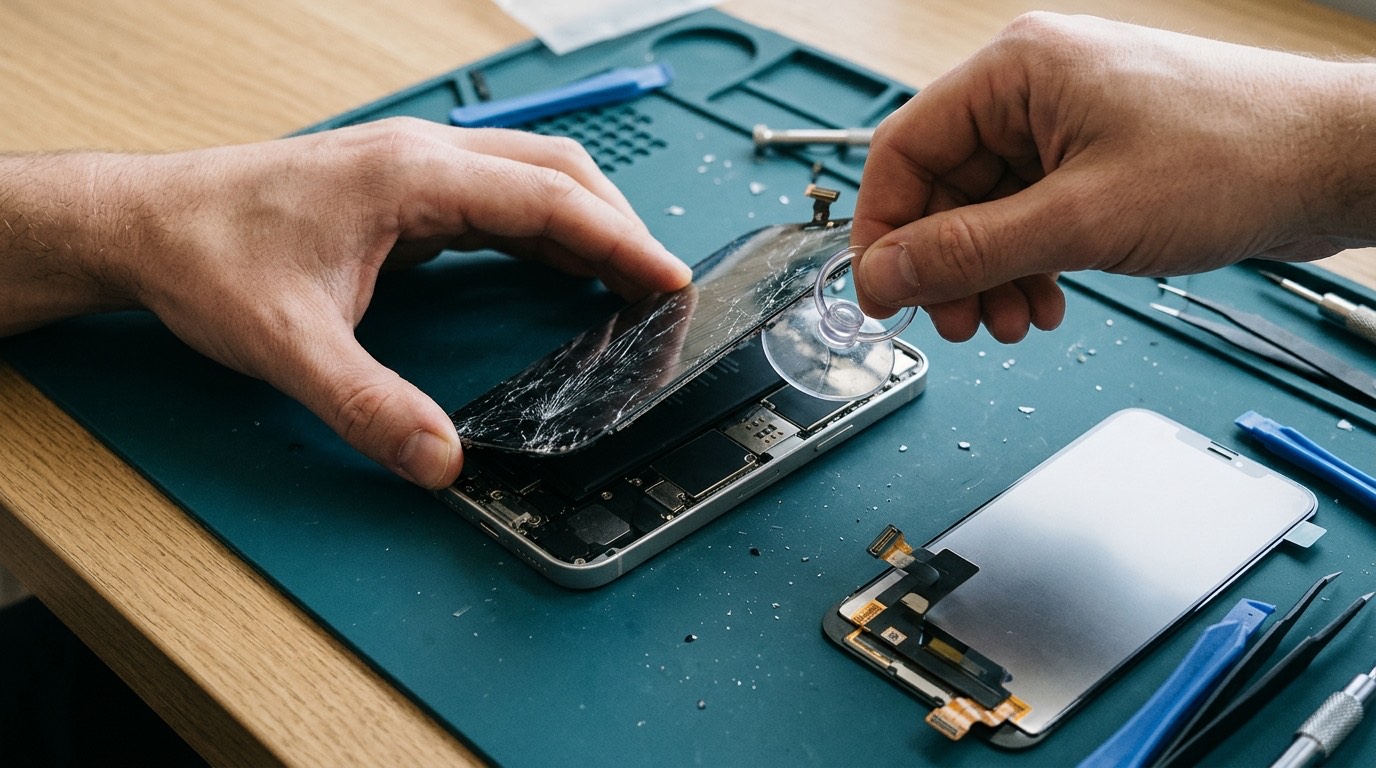
- Gently heat the edge to soften the waterproof adhesive and lift the screen with a suction handle and thin picks, without pushing them deep enough to cut flex cables.
- Open the screen like a book on the correct side for the model. Older models hinge differently from newer ones.
- Disconnect the battery first, then the screen and front sensor cables.
- Move parts from the old screen to the new one where needed: the earpiece and sensor assembly on some models, the Home button on iPhone 8 and SE.
- Test before sealing: touch across the whole screen, Face ID, True Tone, brightness, proximity sensor and the front camera.
- Fit new adhesive, close the phone and run final checks.
On most models this takes around an hour of bench time when the part is ready.
What affects the price of an iPhone screen repair
- The model. Pro and Pro Max OLED screens cost more than standard models; LCD models are the most affordable.
- The part grade. Original Apple parts cost the most, then refurbished originals, then aftermarket OLED, then LCD.
- Extra work. Transferring True Tone data, a cracked back or a bent frame adds time.
- Availability. Common models are quick to source; the newest models may need ordering.
Diagnostic fee, if one is needed: [DIAGNOSTIC FEE]. For an obvious crack on a working iPhone, we normally quote from your description and a photo.
AppleCare+, Apple warranty and insurance
If your iPhone has AppleCare+, Apple’s screen repair service fee is often the most economical route, and an independent repair before claiming can affect what Apple will do afterwards. Apple’s one-year limited warranty doesn’t cover accidental damage, but it does cover defects such as a screen that develops lines without being dropped, so check that first on a newer phone. Carrier insurance usually has a deductible, which you can compare with our quote. If none of these apply, or you’d rather not wait, an independent repair is usually faster and costs less.
Before you hand over your iPhone
- Back up to iCloud or your computer if the phone still works.
- Put clear tape over shattered glass so it doesn’t shed shards.
- Know your passcode; you can type it in yourself for testing.
- Leave Find My on unless we ask; most screen repairs don’t need it off.
- Remove the case and screen protector, unless the protector is holding the glass together.
- Note any Face ID problems you already had.
Common iPhone screen problems by model
iPhone 11 and XR. These LCD models are often handed down to teenagers, which means drops. LCD screens are inexpensive, so repair usually makes sense, especially combined with a battery replacement on a phone this age.
iPhone 12 and 13. The most common iPhone screen repairs in recent years. Their OLED screens crack from corner drops; the Ceramic Shield front resists scratches but still breaks. Many of these phones also benefit from a new battery, which can be done in the same visit since the screen is already off.
iPhone 13 Pro, 14 Pro and later Pro models. If you value smooth 120 Hz scrolling, choose a part that supports ProMotion. On the 14 Pro and later, always-on display also depends on the panel.
iPhone 14 and 15 standard models. These can be opened from the back for other repairs, but the screen still comes off the front. Back glass and screen damage from the same drop can be fixed together; see back glass repair.
iPhone 16 and 17 families. Newer parts are more expensive and sometimes harder to source. If the phone is still under warranty or AppleCare+, compare that first.
Protecting your iPhone screen after the repair
- Fit a tempered glass protector that matches your exact model, with cut-outs for the earpiece and the front sensors. A protector that covers the sensors can upset Face ID and auto-brightness.
- Use a case with a raised lip around the screen, so the glass doesn’t touch the ground in a face-down drop.
- Give the adhesive time. Avoid swimming, saunas and hot showers with the phone for the first day or two while the new seal settles.
- Don’t press hard on the screen edges in the first days, for example by squeezing the phone into a tight case.
- Watch for lifting. If the edge of a new screen starts to rise weeks later, check the battery: on an older iPhone, swelling is the usual cause.
Warranty
Our warranty on iPhone screen repairs: [CONFIRMED WARRANTY]. It covers part defects such as dead pixels, touch failure or a display that stops working without new damage. It doesn’t cover new drops, pressure damage or liquid exposure. We record which part grade was fitted. After any repair that opens the phone, Apple’s original water-resistance rating can’t be guaranteed, even with new adhesive.
How to book an iPhone screen repair
- Send a quote request with your exact model, a photo of the screen and whether touch and Face ID still work.
- We reply with the part options for your model, the price and timing. You can [REPAIR MODEL: in-store / mobile repair / mail-in / combination].
- Approve the quote. Nothing is booked or charged until you do.
- We repair and test the phone and show you True Tone, Face ID and touch working before you pay.
Call (902) 220-3541 if you’d rather talk it through. See also our iPhone repair page for batteries, charging ports and cameras.
Frequently asked questions about iPhone screen repair
How long does an iPhone screen replacement take?
Usually around an hour of bench time when the part is ready. The newest models and less common colours or sizes may need a part order.
Will I lose my photos?
No. A screen replacement doesn’t touch your data. Back up anyway, in case the drop caused other damage.
Why does my iPhone show "Unknown Part" after a screen repair?
The iPhone checks whether the screen matches its serial number. Third-party screens trigger the notice; genuine Apple screens can be calibrated through Apple’s Repair Assistant on iOS 18 and later. The phone works normally either way.
Will True Tone still work?
On models where our tools can transfer the original screen’s calibration data, yes. We’ll tell you beforehand for your model.
Will Face ID still work?
Face ID isn’t part of the screen. We test it before and after the repair and handle its cables carefully. If the drop already damaged Face ID, we’ll tell you before starting.
Is an LCD screen OK for my iPhone 12 or 13?
It works, but it’s thicker, dimmer outdoors, uses more battery and shows grey blacks. If you plan to keep the phone, a quality OLED is the better choice.
My iPhone screen is black but it rings. Is my data safe?
Very likely. The phone is running; only the display has failed. A screen replacement usually brings everything back exactly as it was.
Can you replace just the glass on my iPhone?
Not as a normal repair. The glass is laminated to the display. Refurbishing glass alone needs specialist lamination equipment.